How do I opt out of GetWell Loop?
GetWell Loop is an online patient education tool, and you will receive email notifications when helpful instructions, important education and timely reminders are available to keep you on track with your episode of care.
If you would like to stop receiving email notifications, you can change your email preferences.
If you would like to opt out of GetWell Loop and close your GetWell Loop account, follow the steps below:
- Go to the GetWell Loop login page: https://loop.getwellnetwork.com/
- Sign into your GetWell Loop account with your GetWell username and original password.
- Click on your name on the top right of the screen, and select "Settings" in the drop down menu.
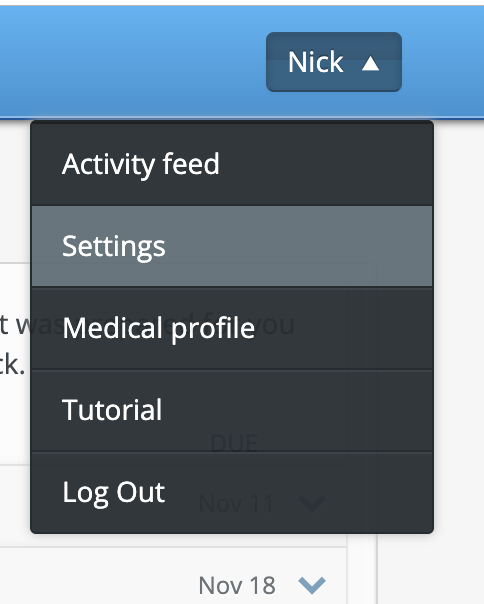
- Scroll down to "Email Preferences" section.
- Click the blue link, "Opt out of all messages and close Loop."
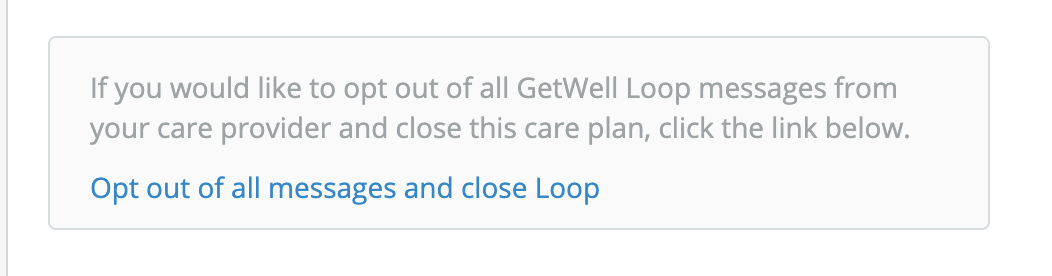
- The following pop up window will appear. Click the red "Confirm" button if you would like to close your care plan.
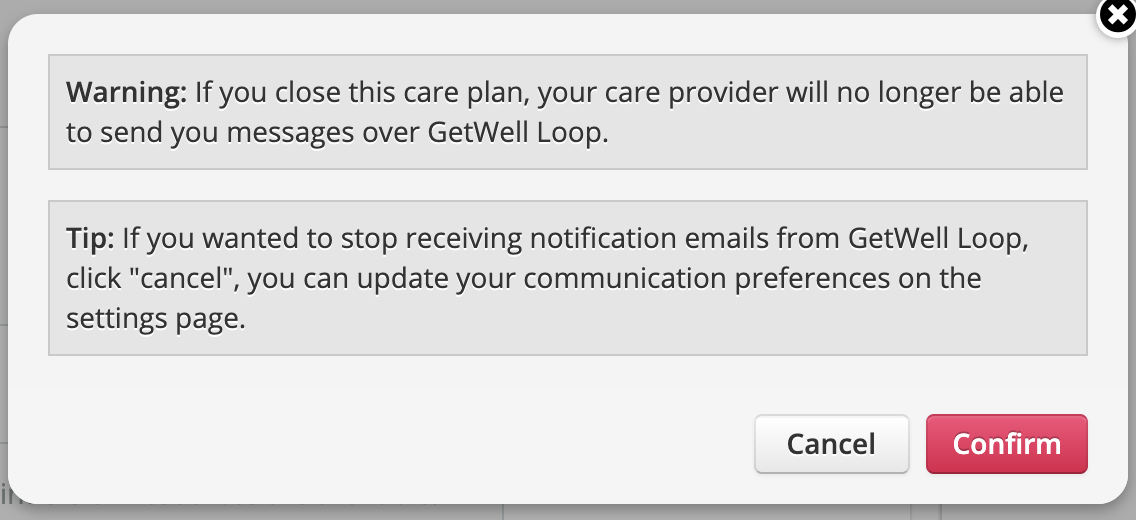
Note: GetWell Loop is an important part of your care. If you close your account, you will no longer be able to log in and your care team will not be able to send you educational materials via GetWell Loop. We recommend informing your doctor's office so they are aware you will not be using GetWell Loop.